Vibe Coding for Beginners | How to Build Your Own Web Service with AI Even If You Cannot Code
Vibe coding is a new way of building websites and services by working with AI instead of writing every line of code yourself. This guide explains the entire process from idea planning and AI prompting to building, testing, fixing, and deploying a service.
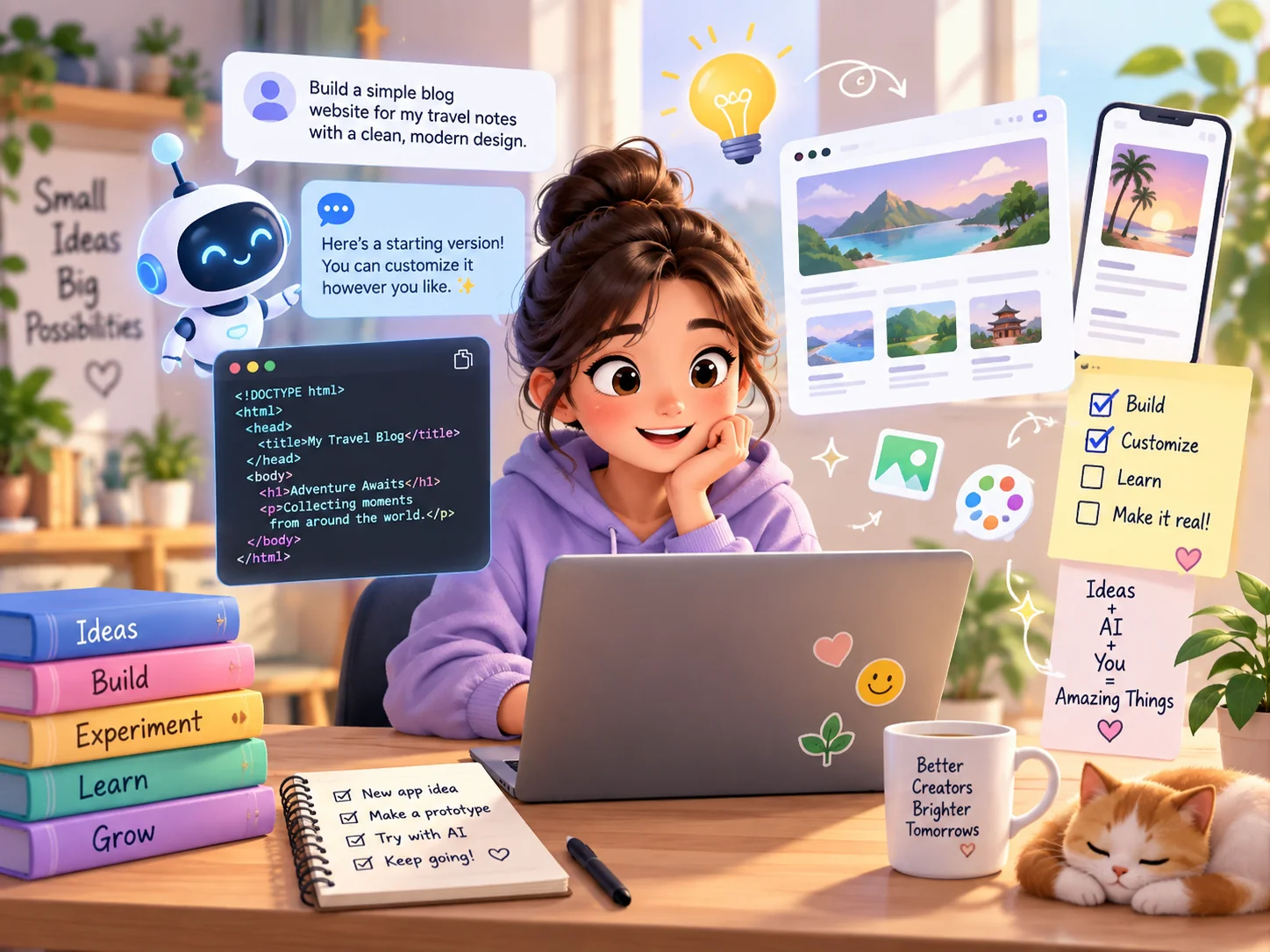
[ 본 이미지는 생성형 AI로 제작되었습니다 ]
Vibe Coding for Beginners | How to Build Your Own Web Service with AI Even If You Cannot Code
“Can I build the website or service I have in mind even if I know absolutely nothing about coding?”
A few years ago, the most common answer would probably have been:
“First, learn HTML, CSS, and JavaScript.”
Today, things are changing.
As generative AI and AI coding tools have improved, people can increasingly describe what they want in everyday language and ask AI to create screens, write code, analyze errors, and modify multiple files.
One term that is frequently used to describe this new style of development is “vibe coding.”
However, there is one important misunderstanding to avoid.
Vibe coding does not mean:
“AI automatically builds a perfect service for you even if you know nothing.”
Instead, the human role is gradually changing from:
“the person who writes every line of code”
to:
“the person who explains what should be built, reviews what the AI creates, finds problems, and tells the AI how to improve it.”
In this article, we will go through the entire process step by step so that even someone who has never coded before can understand how to turn an idea into a simple web service and publish it online.
What Is Vibe Coding?
The term “vibe coding” became widely known in February 2025 after AI researcher Andrej Karpathy used it to describe a style of programming in which a person communicates with AI and keeps iterating on the result rather than manually reading and writing every line of code.
Today, the expression is often used more broadly.
In simple terms:
Traditional coding:
A person writes commands in a programming language that a computer can understand.
Vibe coding:
A person describes the desired result in natural language, and AI generates or modifies the code. The person then reviews the result and continues improving it through conversation.
For example, in traditional web development, if you wanted to move a button to the right side of the screen, you might need to find and edit the relevant CSS code yourself.
With vibe coding, you may simply tell the AI:
Move the search button to the right side of the main screen.
On mobile, make the button wide enough to be easy to tap.
If the AI has access to the project, it may identify the relevant files and modify the necessary code.
Modern AI coding agents can now do more than suggest a few lines of code.
Depending on the tool and environment, they may be able to:
Read project files
Modify multiple files
Run terminal commands
Analyze errors
Execute tests
Refactor existing code
Prepare a project for deployment
This is the broader shift behind tools such as OpenAI Codex, GitHub Copilot agents, and Cursor Agent.
Why Is Vibe Coding Suddenly Getting So Much Attention?
The biggest reason is that generative AI has become much better at programming.
Early AI coding tools mainly acted like advanced autocomplete systems.
They helped developers finish the next line or suggest a small code block.
Now, many tools can handle much larger tasks.
For example, you might ask:
Create a product list page and add a search feature.
Instead of returning only one code snippet, an AI coding agent may examine the project structure, create files, edit several components, and connect the pieces together.
Modern AI coding tools can assist with tasks such as:
Designing web pages
Creating buttons and menus
Implementing search
Editing multiple files
Analyzing error messages
Changing designs
Connecting databases
Connecting external APIs
Running tests
Fixing bugs
Preparing deployments
Understanding existing project structures
Because of this, people with little or no development experience can now experiment with ideas that previously required much more programming knowledge.
The important word here is “experiment.”
Vibe coding is especially useful when your first goal is:
“Can I turn this idea into something that actually works on a screen?”
rather than:
“Can I immediately build a large, production-ready service?”
How Is Vibe Coding Different from Traditional Coding?
Category | Traditional Coding | Vibe Coding |
|---|---|---|
Main input method | Programming languages | Natural language requests |
Code writing | Mostly written directly by a developer | AI can generate a large portion |
Modification | Developer edits the code directly | User can request changes in natural language |
Error handling | Developer investigates the cause | AI can help analyze and explain the issue |
Entry difficulty | Relatively high | Lower for small projects |
User role | Developer | Planner, reviewer, tester, and sometimes developer |
Required knowledge | Programming knowledge is important | Easier to start, but basic knowledge is still useful |
Verification | Developer reviews the work | Human review is still required |
The biggest difference is how you communicate what you want.
In traditional coding, the question is often:
“What code should I write to create this feature?”
In vibe coding, the starting question may become:
“What should happen when the user clicks this button?”
However, AI-generated code does not eliminate the value of programming knowledge.
As a service becomes more complex, understanding web structure, databases, security, APIs, and testing becomes increasingly important.
Is Vibe Coding the Same as No-Code?
They may look similar, but they are not exactly the same.
No-Code
No-code platforms focus on combining prebuilt features or visual blocks.
For example:
Add button → Add list → Add input field → Connect automation
The user can often create a service without directly dealing with the underlying code.
Low-Code
Low-code platforms rely heavily on visual tools but still allow users to write code when necessary.
Vibe Coding
Vibe coding centers on describing what you want to AI in natural language, while the AI may generate and modify actual program code.
Category | No-Code | Low-Code | Vibe Coding |
|---|---|---|---|
Main method | Assemble prebuilt features | Visual tools + some coding | Natural language interaction with AI |
Direct code use | Usually very limited | Sometimes required | AI may generate and edit code |
Flexibility | Limited by the platform | Relatively high | Can reach the code level |
Beginner accessibility | High | Medium | Often high, depending on the tool |
Complex features | May be limited | Often possible | Possible, but difficulty increases |
So vibe coding should not simply be treated as another name for no-code development.
What Can You Build with Vibe Coding?
If you are a beginner, it is best to start with something small and realistic.
Personal Website
Possible features:
Introduction
Photos
Portfolio or career history
Contact information
Social media links
Business or Store Website
Possible features:
Business introduction
Product or service information
Opening hours
Location
Phone or inquiry links
Travel Information Website
Possible features:
Destinations by region
Category filtering
Place detail pages
Search
Restaurant Guide
Possible features:
Restaurant list
Region filters
Food category filters
Restaurant detail pages
Favorites
Quote Calculator
Possible features:
Product selection
Quantity input
Option selection
Automatic price calculation
Personal Budget Tracker
Possible features:
Income entry
Expense entry
Categories
Monthly totals
Reservation Request Page
Possible features:
Date selection
Time selection
Name
Contact information
Reservation summary
Once you begin storing actual reservation data, the project becomes more complex because you may need a database and privacy protections.
To-Do App
Possible features:
Add task
Mark task as complete
Delete task
Organize by date
Simple AI Chatbot
Possible features:
Question input
AI API connection
Answer display
This type of project usually requires an external AI API, which means you also need to think about API usage, security, and cost.
AI Coding Tools Beginners Can Use in 2026
AI coding tools are evolving extremely quickly.
Rather than memorizing tool names, it is better to understand what each type of tool is good at and choose one that fits your current level.
ChatGPT and Codex
ChatGPT can help with tasks such as:
Organizing an idea
Writing requirements
Explaining code
Explaining errors
Planning a web service
OpenAI Codex is designed for more direct software development work such as creating features, editing code, refactoring projects, and running tests.
A beginner may start by using ChatGPT for questions like:
Help me organize the requirements for the service I want to build.
or:
Break this project into simple steps for a complete beginner.
Then, in later development stages, a coding agent can be used for more hands-on coding tasks.
Claude and Claude Code
Claude can be used for:
Organizing project structures
Explaining code
Reviewing logic
Analyzing programming problems
Claude Code is an agentic coding tool designed to work directly with code projects, particularly in terminal-based environments.
Because of this, complete beginners may find it slightly more technical than browser-based app-building tools.
Google AI Studio and Antigravity
Google has continued expanding AI-powered application-building capabilities.
Its newer development direction includes Antigravity-style agentic coding workflows and AI-assisted app creation.
An important point for people watching older tutorials is that Google's AI coding tools and product structure have changed over time.
Older videos or guides may refer to tools or interfaces that are no longer presented in the same way.
So when following a tutorial, always compare it with the current official documentation.
GitHub Copilot
GitHub Copilot works inside coding environments and GitHub-related workflows.
It supports more than simple code completion.
Depending on the environment, agent features can:
Understand a project
Modify multiple files
Help run tests
Suggest fixes
Assist with development tasks
Because it is commonly used with environments such as Visual Studio Code, beginners may need to learn a few development concepts before becoming comfortable with it.
Cursor
Cursor is a code editor designed around AI-assisted development.
Its Agent features can help with tasks such as:
Searching project files
Editing files
Running commands
Fixing errors
Understanding an existing project
Cursor can be useful if you want to gradually learn how real project files and code are organized while still relying heavily on AI.
However, beginners may initially need to understand concepts such as folders, files, projects, and development environments.
Replit
Replit is a browser-based development platform.
Its AI agent can help users describe what they want in natural language, create an application, modify it through conversation, and publish it from the same environment.
This can be convenient for beginners who do not want to install and configure a separate coding environment.
Lovable
Lovable is an AI development tool that allows users to describe a website or web application in natural language and refine it through conversation and visual editing.
It is especially approachable for beginners who prefer to:
See the interface immediately
Ask for design changes visually
Edit through conversation
Publish from a browser-based environment
v0
v0 is an AI-powered web development tool from Vercel.
Users can describe the desired interface or application in natural language and generate working web interfaces and applications.
It can also connect with back-end services and deploy through Vercel.
It is especially useful for quickly creating and iterating on web interfaces.
Simple Comparison
Tool | Beginner Accessibility | Installation | Code Editing | Web Publishing | Main Characteristic |
|---|---|---|---|---|---|
ChatGPT + Codex | Medium | Depends on workflow | Yes | Depends on environment | Broad support from planning to coding |
Claude + Claude Code | Medium | Claude Code usually requires setup | Yes | Separate deployment often needed | Project analysis and coding tasks |
Google AI Studio / Antigravity | High to Medium | Depends on workflow | Yes | Possible | Prompt-based app creation |
GitHub Copilot | Medium | Usually used with an IDE | Yes | Separate deployment often needed | Integrated with standard development workflows |
Cursor | Medium | Desktop app | Yes | Separate deployment or integration | AI-centered code editor |
Replit | High | Browser-based | Yes | Yes | Build, run, and deploy in one place |
Lovable | High | Browser-based | Yes | Yes | Conversational and visual web building |
v0 | High | Browser-based | Yes | Vercel deployment | Fast UI and full-stack web development |
Free plans, usage limits, supported models, and pricing change frequently.
Before starting, check the current official pricing and feature pages of each service.
Let’s Build a Simple Service with Vibe Coding
Now let us walk through a practical example.
Suppose we want to create:
“A simple web service where users can search for local restaurants and save their favorites.”
We will not begin with:
User accounts
Maps
Reviews
Payments
AI recommendations
Advertisements
That would be too complicated for a first project.
STEP 1. Choose Only the Most Important Features
Start with three core functions.
View a restaurant list
Search by region or food type
Save favorite restaurants
This kind of minimal starting point is often called an MVP.
MVP stands for Minimum Viable Product.
In simple terms, it means:
“The smallest version of a product that lets users experience the main idea.”
Do not try to build everything at once.
STEP 2. Explain the Service to AI
You could simply say:
Build me a restaurant website.
But a more specific request will usually produce better results.
For example:
I am a complete beginner and do not know how to code.

I want to build a simple web service where people can discover restaurants in Seoul.

The main users will be people searching for restaurants on their smartphones.

The main features are:

1. View restaurant listings
2. Search by district
3. Search by food category
4. Save favorite restaurants

The main screen should include:

- District selection
- Food category selection
- Search button
- Restaurant list

When a user selects a restaurant, show:

- Photo
- Address
- Main menu items
- Price range
- Short description

Make the interface easy to use on mobile.

I do not understand development terminology, so explain technical terms in simple language.

Do not build everything at once. Guide me step by step.
Now the AI has far more useful context.
STEP 3. Build the Interface First
Before connecting a database or map API, first check whether the service looks the way you want.
For example:
Do not connect a real database yet.

Create sample data for 10 restaurants in Seoul and build the main screen first.

At the top, place the service name and search controls.

Below that, show the restaurants as cards.

Make the design comfortable to use with one hand on a smartphone.
This allows you to confirm the structure before adding complicated functionality.
The important idea is:
“First, verify what the service should look like.”
STEP 4. Improve One Thing at a Time
If the first version is not good, that does not mean the project failed.
Vibe coding works best as an iterative process.
For example:
First revision:
The search area is too small.
Make it more visible near the top of the screen.
Second revision:
The restaurant photos are too large.
Reduce the image size and make the restaurant name more prominent.
Third revision:
The search button is too small on mobile.
Make it easier to tap with a finger.
Fourth revision:
When a user selects a restaurant, open a restaurant detail page.Making one specific change at a time usually works better than saying:
Make everything look better.
STEP 5. Add Search
Once the interface feels right, add functionality.
For example:
Now add search functionality.

When a user selects Gangnam-gu, show only restaurants in Gangnam-gu.

When a user selects Korean food, show only Korean restaurants.

If both a district and food category are selected, show only restaurants that match both conditions.

If there are no matching restaurants, display:

"No restaurants match your search."
Again, it is usually better not to request too many unrelated features at once.
STEP 6. Add Favorites
For a beginner project without user accounts, favorite information can initially be saved in the browser.
You might ask:
Add a heart button to each restaurant card.

When the user taps the heart, save the restaurant as a favorite.

When the heart is tapped again, remove it from favorites.

Do not use user accounts or a database yet.

Use the simplest method that a beginner can understand.
The AI may mention something called localStorage.
In simple terms, localStorage is:
“A small storage area inside the web browser.”
However, if you want favorites to appear on another device, you will usually need a database and user accounts.
Do Not Try to Make Everything Perfect from the Beginning
Many beginners make requests like:
Build me a restaurant recommendation service with login, maps, reviews, payments, and AI recommendations.
An AI may generate something.
But when something breaks, it can become very difficult to understand why.
A safer process is:
Build the interface
Display the list
Add search
Add a detail page
Add favorites
Check mobile layout
Fix errors
Connect a database if needed
Connect external services if needed
Deploy
After each step, test whether the feature works before moving on.
This makes errors much easier to isolate.
How to Write Better Requests for AI
In vibe coding, programming skill is not the only important ability.
Another important skill is:
“Explaining exactly what you want.”
A useful beginner formula is:
What you want to build
+
Who will use it
+
What screens are needed
+
What features are needed
+
What design you want
+
What problem currently exists
Instead of:
Build an online store.
you might say:
I want to build a handmade gift website for women in their 20s to 40s.

The main page should include:

- Hero image
- Product categories
- Popular products
- Brand introduction

When a user selects a product, show:

- Photos
- Price
- Description
- Options

Do not add real payment functionality yet.

For the first version, make it a product browsing website only.

Use a bright and warm design.

Make it easy to use on smartphones.
The more clearly you explain the goal, the easier it is for the AI to understand what you expect.
Make One Change at a Time
Instead of:
Make the design better,
add login,
add search,
add maps,
fix mobile,
and solve all the errors.
try:
First, fix the mobile menu so that it displays correctly.

Do not change any other features.
After that:
Now add only the search feature.

Keep the current design and existing features unchanged.
This makes it much easier to identify which change caused a problem.
What Should You Do When an Error Happens?
One of the most frightening moments for a beginner is when something suddenly stops working.
Maybe:
A button no longer responds
The layout breaks
A page disappears
An error message appears
You usually do not need to start over.
If a Button Does Not Work
Nothing happens when I click the login button.

Find the cause.

First, explain the problem in simple language for a beginner.

Then fix only the necessary part.
If the Mobile Layout Breaks
The website looks fine on a computer,
but the menu goes outside the screen on mobile.

Fix the mobile layout.

Keep the desktop design unchanged if possible.
If an Error Message Appears
Copy the error and provide it to the AI.
This error appeared:

[Paste the error message here]

First explain why this happened in simple language.

Then show me how to fix it and change only the necessary code.
If possible, also provide:
Error message
Screenshot
What you were doing when the problem happened
What you changed immediately before the problem
This information can make debugging much easier.
Explain the Situation Instead of Saying “It Doesn’t Work”
Instead of:
It doesn’t work. Fix it.
try:
When I select Gangnam-gu and press Search,
only restaurants in Gangnam-gu should appear.

However, restaurants from all districts are still displayed.

The design looks fine.
Only the search function seems to be broken.

Find the cause and fix only the search function.
A useful bug report explains:
What you did
What should have happened
What actually happened
Connecting Real Data Makes the Project More Difficult
Everything so far can be built using sample data.
But a real service often needs actual data storage.
For example, suppose a user saves a restaurant today and expects it to still be saved when they return tomorrow.
The information must be stored somewhere.
That is where a database comes in.
What Is a Database?
You do not need to think of a database as something mysterious.
It is basically:
“An organized digital storage system for information used by a service.”
For a restaurant service, the database might include:
Information | Example |
|---|---|
Name | Seoul Restaurant |
District | Jongno-gu |
Category | Korean Food |
Address | Example Street, Seoul |
Main Menu | Bibimbap |
Price Range | KRW 10,000–20,000 |
If you introduce user accounts, you may also need to store:
User information
Favorite restaurants
Saved preferences
What Is an API?
Another term beginners often encounter is API.
Suppose you want to display a map on your restaurant website.
Instead of building a map system from scratch, you would usually use a map service provided by another company.
The connection between services often happens through an API.
A simple analogy is:
“An API is like an order counter where one service requests a feature or information from another service.”
Your website might ask:
Please provide map information for this address.
The map service then returns the information.
APIs are commonly used for:
Weather
Maps
Payments
Translation
AI
Transportation
Search
Never Expose API Keys
When using an API, you may receive an API key.
An API key works somewhat like:
“A secret credential that proves your application is allowed to use the service.”
So you should be careful with requests like:
Put this API key directly into the website code.
If the key is included in publicly visible browser code or a public GitHub repository, someone else may be able to use it.
A safer request is:
Connect this API in a secure way so that the API key is not exposed to users.

Use environment variables and server-side code if necessary.

Explain the setup step by step in beginner-friendly language.
The same principle applies to:
Passwords
Payment secrets
Database passwords
Admin credentials
How Do You Publish the Service on the Internet?
Even if your service works inside an AI development tool, other people may not be able to access it yet.
The process of making the service publicly accessible on the internet is usually called deployment.
A simple analogy is:
Website = Your store
Hosting or server = The building where the store exists
Domain = The address people use to find the store
Deployment = Opening the store so people can visit it
This is not a perfect technical definition, but it is useful for understanding the concept.
Some platforms such as Replit, Lovable, and v0 include publishing or deployment features.
Another common workflow is:
Create code
→ Store the project on GitHub
→ Connect it to a deployment platform such as Vercel
→ Publish the website
What Should You Check Before Deployment?
Even if the AI says:
“Finished.”
do not publish immediately.
Check the service yourself.
Core Functions
Do all buttons work?
Does search return the correct results?
Does the save function work?
Do links go to the correct page?
Mobile
Is the text large enough to read?
Are buttons easy to tap?
Does any menu go outside the screen?
Does unexpected horizontal scrolling appear?
Data
Is any information incorrect?
Is test data still visible?
Are sample data and real data mixed together?
Security
Are API keys exposed?
Are passwords written directly in code?
Can ordinary users access admin-only functions?
Can You Trust AI-Generated Code Completely?
No.
Generative AI can produce code that looks convincing but is wrong.
Even when the interface appears to work, there may still be:
Security issues
Logic errors
Performance problems
Incorrect assumptions
Hidden failures
This is why human verification is still important.
The human role does not disappear.
Instead, the ability to ask:
“Is this really working the way I intended?”
becomes even more important.
Be Especially Careful with Certain Types of Services
There is a major difference between:
“Building a simple calculator for practice”
and:
“Operating a real service that handles customers’ money or private information.”
Projects involving the following require extra care:
User registration
Personal information storage
Addresses
Phone numbers
Payments
Credit card information
Financial information
Medical information
Confidential business data
Administrator privileges
File uploads
External system connections
Do not assume:
“AI made it, so it must be secure.”
If a service will be used by real customers and handles important data, professional development or security review may be necessary.
Copyright Also Matters
Be careful with requests such as:
Make this exactly like a famous shopping website.
or:
Copy the photos from this website.
Images, articles, logos, and design elements may be protected by copyright, trademark, or other rights.
For a real service, use content that you have the right to use, such as:
Your own images
Licensed images
Properly licensed assets
Your own writing
Data you are legally allowed to use
Advantages and Limitations of Vibe Coding
Advantages | Limitations |
|---|---|
Ideas can be turned into working prototypes quickly | AI can generate incorrect code |
Beginners can experiment more easily | Projects become more complex as they grow |
AI can handle repetitive coding tasks | Beginners may struggle to understand the root cause of errors |
Small services are easier to prototype | Security problems can occur |
Changes can be requested in natural language | AI-generated code should not be trusted blindly |
Results can be improved iteratively | Maintenance may eventually require development knowledge |
Prototype development can become faster | AI services may create usage costs |
Non-developers can participate in idea validation | Complex features may require many iterations |
The biggest advantage of vibe coding is not:
“You can build a perfect service without knowing anything.”
A better way to understand it is:
“The first barrier between an idea and a working prototype has become lower.”
Does Vibe Coding Mean You No Longer Need to Learn Coding?
No.
However, the learning order can change.
The traditional learning path might look like:
Learn HTML
→ Learn CSS
→ Learn JavaScript
→ Learn databases
→ Build a project
With vibe coding, another path becomes possible:
Start a small project
→ Encounter a problem
→ Learn the necessary concept
→ Improve the project
For example, if the AI says:
“I updated the CSS.”
you can ask:
What is CSS, and what role does it play in this project? Explain it for a complete beginner.
If the AI says:
“We need to connect an API.”
you can ask:
Why do we need an API? Explain it with a simple analogy.
This allows you to learn the concepts when they become relevant to your project.
Basic Concepts That Are Still Worth Learning
You do not need to master these before starting, but understanding them gradually will help.
HTML
HTML defines the basic structure and content of a web page.
A simple analogy is the structural frame of a house.
CSS
CSS controls visual appearance, including:
Font size
Colors
Positioning
Spacing
Layout
JavaScript
JavaScript controls behavior.
For example:
“What happens when the user clicks this button?”
Frontend
The frontend is the part of the service users directly see and interact with.
Backend
The backend handles work behind the scenes, such as:
Saving data
Authentication
Server logic
Database
A database stores information used by the service.
API
An API allows different services to communicate with one another.
Git
Git keeps track of changes made to code.
It can help you return to an earlier working version after something breaks.
Good Conditions for a Beginner’s First Project
Your first project should ideally have:
Only 1 to 3 core features
No required user registration
No payment function
Minimal personal data
No necessary external API for the first version
Results that can be seen immediately
Low risk if something breaks
Five Good Vibe Coding Projects for Beginners
1. Travel Packing Checklist
Features:
Add item
Mark complete
Delete item
What you can learn:
Buttons
Input fields
Lists
State changes
2. Simple Price Calculator
For example, calculate the total amount based on price and quantity.
Features:
Price input
Quantity input
Automatic calculation
What you can learn:
Numeric input
Calculation
Output display
3. Product Introduction Page for Your Store
Features:
Product photo
Product name
Price
Description
Category
What you can learn:
Page structure
Mobile design
Product lists
4. Personal Restaurant List
Features:
Restaurant list
Region search
Food category filtering
What you can learn:
Search
Filters
Card layouts
5. Personal Link Collection
Features:
Website name
Description
Open link
Category
What you can learn:
Links
Lists
Interface layout
Completing even one of these projects can teach you the basic flow of vibe coding.
Beginner Prompt Template for Your First Project
You can modify the following template for your own idea.
I am a complete beginner and have never coded before.

I want to build [service name or purpose].

The main users are [target users].

The three most important features are:

1. [Feature 1]
2. [Feature 2]
3. [Feature 3]

The screens I need are:

1. Main screen
2. [Screen]
3. [Screen]

Use a [desired visual style] design.

Make it work well on both desktop and mobile.

I do not understand development terminology,
so explain technical terms in simple language whenever they appear.

Do not build everything at once.

Start with the most basic interface and guide me step by step.

After each step, explain:

- What was created
- What I should check

If the project involves personal information, payments, API keys,
or other security-sensitive information,
do not handle them carelessly.

Explain the safe approach first.
You can also add:
Do not change features that are already working correctly.

Modify only the part I specifically asked you to change whenever possible.
This can reduce unintended changes.
How to Test Your Service
After AI creates your service, use it like a real user.
For a restaurant service, you might check:
Search
Does the full Seoul list appear correctly?
When Gangnam-gu is selected, does only Gangnam-gu appear?
When no result exists, does an appropriate message appear?
Favorites
Does tapping the heart save a restaurant?
Does tapping again remove it?
Does the saved state remain after refreshing if it is supposed to?
Detail Page
Does every restaurant open the correct detail page?
Does the back button work properly?
Mobile
Is the text readable?
Do buttons overlap?
Does anything extend beyond the screen?
This process is called testing.
You can ask AI to help with testing, but manually using the service yourself is still important.
Version Control Becomes Important as the Project Grows
At first, you may think:
“I can just keep asking AI to modify the project.”
But eventually this can happen:
“It worked yesterday, but after today’s change, the whole project broke.”
This is why version control is useful.
Developers often use Git.
A simple explanation is:
“Git keeps a history of important changes in your project.”
It is similar to creating save points in a game.
As your vibe coding projects become more serious, learning the basics of Git and GitHub can be very helpful.
Humans Still Make the Important Decisions
AI can do more development work than before, but the following questions are still human decisions:
Who is this service for?
What problem does it solve?
Which features are actually necessary?
What information should not be collected?
What is frustrating for users?
What design fits the purpose?
Is the service safe enough to publish?
Even if AI writes excellent code, it does not automatically decide the purpose of the service for you.
This is why vibe coding can allow people such as:
Business owners
Office workers
Students
Designers
Planners
Entrepreneurs
Non-developers
to participate more directly in turning ideas into working services.
What Humans Must Still Check in Vibe Coding
Before publishing, check at least the following:
Do the main functions actually work?
Does the service display correctly on desktop and mobile?
Is incorrect information being shown?
Is private information unnecessarily exposed?
Are API keys or passwords visible in the code?
Are copyrighted images or text being used without permission?
Does the AI-generated code contain serious errors?
Is user information properly protected?
Are admin functions hidden from ordinary users?
If payments are involved, has security been reviewed properly?
Remember:
“A page that appears on the screen” does not automatically mean:
“The service is finished.”
Start with a Small Goal
For your first vibe coding project, do not begin with:
“I am going to build the next Instagram.”
A better first goal might be:
“I will create a web page where a user enters a price and quantity and the total is calculated automatically.”
Completing one small project already lets you experience the entire development flow:
Choose an idea
→ Explain it to AI
→ Build the interface
→ Add a feature
→ Fix an error
→ Test
→ Publish online
Then, on the next project, add one more feature.
What to Remember Before Starting Vibe Coding
If you think of vibe coding as:
“Technology where AI automatically builds perfect software for me”
you may quickly become disappointed.
At the same time, you do not need to believe:
“Only professional developers can use it.”
The rapid development of generative AI and coding agents has made it much easier for people to describe what they want in everyday language and participate directly in software creation.
However, people still need to:
Explain ideas clearly,
Review what AI creates,
Click through and test features,
Describe problems accurately,
Check security and privacy,
And gradually learn the technical concepts that become necessary.
In the end, vibe coding is less about:
“AI doing everything for me”
and more about:
“Explaining my idea clearly to AI, reviewing the result, and gradually turning it into a working service.”
If you have never coded before, you do not need to begin with a huge application.
Build one calculator.
Build one checklist.
Build one product page.
And whenever you encounter a technical term you do not understand, ask:
Explain this so that someone who has never coded before can understand it.
The first time you see something you described in everyday language actually working on a screen, coding starts to feel less like an inaccessible technical field and more like something you can explore.
So the first question no longer has to be:
“Do I know how to code?”
It can become:
“What small feature should I build first?”