Can Beginners Build a Web App? A 7-Step Guide to Getting Started with Claude and React
Learn how to build your first web app using Claude AI and React. Follow seven beginner-friendly steps, from setup and coding to testing and deployment.
Can Beginners Build a Web App? A 7-Step Guide to Getting Started with Claude and React
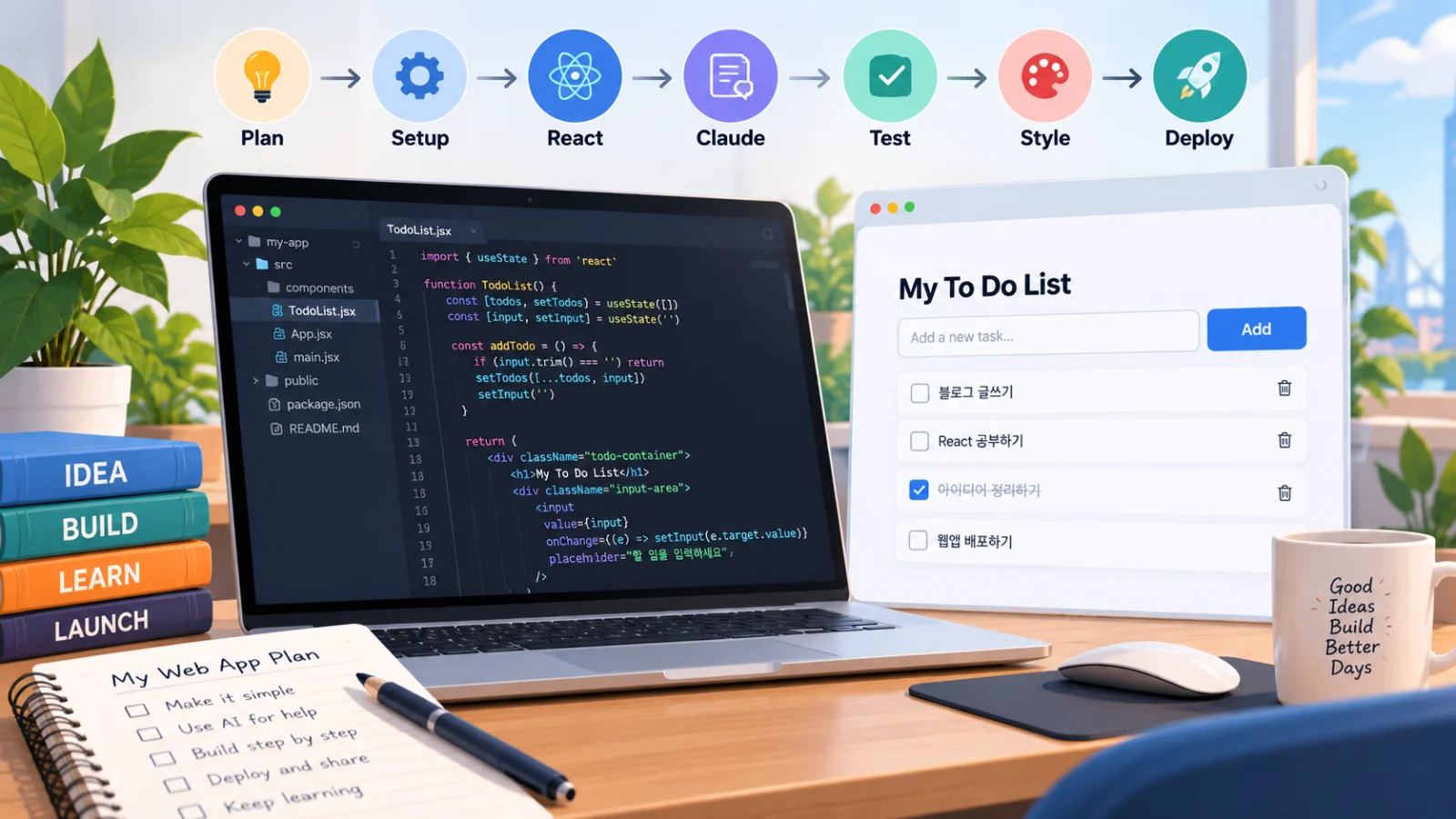
Have you ever wanted to build your own web app but felt overwhelmed by coding?
You might have an idea for a productivity tool, a personal dashboard, or a simple business application. But learning JavaScript, React, and web development from scratch can seem intimidating.
The good news is that AI coding assistants are making the process more accessible.
With Claude AI and React, you can describe what you want to build, generate a working starting point, and improve your application while learning how the code works.
Let's explore seven practical steps to creating your first web app, using a simple to-do list as our example.
Start with a Small, Useful App Idea
One of the biggest mistakes beginners make is choosing a project that's too complicated.
Instead of building a complete social network or e-commerce platform, start with something manageable.
A to-do list application is an excellent first project because it needs only a few essential features:
Add a new task
Display existing tasks
Mark tasks as completed
Delete unwanted tasks
These features introduce important web development concepts without requiring a complicated backend.
Your first goal isn't to create a perfect application. It's to build something that actually works.
Install the Essential Development Tools
You need three main tools to get started.
Node.js provides the runtime and package-management tools commonly used in React development.
Visual Studio Code is a free code editor available for Windows, macOS, and Linux.
Claude Code is an AI-powered coding assistant that can inspect project files, suggest improvements, and help implement features.
Download a compatible Node.js LTS release and install VS Code.
For Claude Code, installation depends on your operating system.
On macOS or Linux, the official installer can be run with:
curl -fsSL https://claude.ai/install.sh | bashOn Windows, you can use the official PowerShell installation command:
irm https://claude.ai/install.ps1 | iexClaude Code requires authentication through an eligible account or supported API configuration. Paid access may be necessary.
Before continuing, verify that Node.js and npm are installed:
node -v
npm -v
For current Vite versions, use a compatible Node.js release, such as Node.js 22.12 or newer in a supported release line.
Create Your First React Project
React is a JavaScript library for building interactive user interfaces.
Rather than creating an entire web page as one large block of code, React allows you to divide the interface into reusable components.
For example, a task manager might contain a task input, a task list, and individual task items.
We'll use Vite, a modern development tool that makes creating a basic React project straightforward.
Open a terminal and run:
npm create vite@latest my-first-app -- --template react
cd my-first-app
npm install
npm run dev
Once the development server starts, it will display a local URL, commonly:
http://localhost:5173Open the URL in your browser.
If the default React application appears, you've successfully created your first development environment.
Ask Claude to Build Your App
Now comes the interesting part.
Open another terminal in your project directory and launch Claude Code:
claudeComplete any required authentication.
Instead of writing every line of code manually, you can describe your requirements in natural language.
Example Claude Prompt
I'm a beginner learning React.

I have created a React project using Vite.

Help me build a simple to-do list application.

Required features:
- Add new tasks
- Display a list of tasks
- Mark tasks as completed
- Delete tasks
- Responsive mobile-friendly design

Technical requirements:
- Use React and useState
- Use regular CSS
- Avoid unnecessary dependencies
- Explain changes before modifying files
- Explain the code in beginner-friendly language
- Tell me how to test the application

Keep the implementation simple.
A detailed prompt helps Claude understand both the application's functionality and your experience level.
Review proposed code changes before approving them. AI-generated code is a starting point, not a guarantee of correctness.
Understand the Basics of React State
You don't need to memorize every React concept immediately, but understanding state is extremely useful.
State allows a component to remember information that can change when users interact with the interface.
For example:
import { useState } from 'react';

function App() {
  const [count, setCount] = useState(0);

  return (
    <button onClick={() => setCount(count + 1)}>
      Clicked {count} times
    </button>
  );
}

export default App;
This creates a button that increases a number every time someone clicks it.
The useState hook stores the current value, while setCount updates it.
React then updates the interface to reflect the new state.
The same concept powers your to-do list. Adding a task changes the application's state, and React updates the visible list.
Think of it as a simple process:
User action → State change → Updated interface
Understanding this relationship will make future React projects much easier.
Test Your Application and Improve Its Design
Once Claude has created the initial application, test it yourself.
Try adding multiple tasks, marking tasks as completed, and deleting individual items.
Also check what happens when you submit an empty input or enter a long task description.
Next, test the application on smaller screens using your browser's responsive design tools.
You can ask Claude to improve the interface with a prompt like this:
Improve the appearance and usability
of my React to-do list application.

Requirements:
- Clean, modern design
- Light background
- Rounded input fields and buttons
- Clear completed-task indicators
- Responsive layout
- Support adding tasks with Enter
- Accessible labels and keyboard navigation

Keep the existing features working.
Explain what you changed.
Test again after each update.
Small improvements are easier to understand and debug than a large set of changes applied all at once.
Deploy Your App and Share It Online
Your web app currently runs on your own computer.
To make it accessible to other people, you'll need to deploy it to a hosting service.
Popular options for simple React applications include Vercel and Netlify.
Start by creating a production build:
npm run buildA typical Vite project generates a dist directory containing production-ready files.
You can then upload your project to GitHub, connect the repository to a hosting platform, and configure the build settings.
After deployment, the hosting service provides a public URL that you can share.
Check the current pricing and usage limits before selecting a hosting plan.
Remember that our basic example doesn't include a database. Without additional storage functionality, tasks may disappear when the page reloads.
For a small browser-only project, localStorage can provide simple persistence. More advanced applications may require a backend, database, user authentication, and additional security measures.
Your First Web App Is Just the Beginning
AI doesn't eliminate the need to understand software development, but it changes how beginners can approach learning.
Instead of spending weeks memorizing syntax before building anything, you can start with a small project and learn as you improve it.
Your first to-do list might eventually become a personal planner, habit tracker, expense manager, or productivity dashboard.
Claude can help explain confusing code, suggest improvements, and troubleshoot errors. React gives you the tools to build interactive interfaces that users can actually experience.
You don't need to become an expert before starting.
Start with one idea, build one working feature, and improve it one step at a time.