How to Create AI Videos with Claude: Collage B-roll Setup and Workflow
You can create paper-collage AI video clips with Claude by installing a Collage B-roll skill in Claude Code and connecting supported image and video generation services. The workflow turns a short spoken line into an editorial-style B-roll animation. It is not a built-in one-click video generator in the standard Claude chat interface.
✅ Key takeaways
🎬 Collage B-roll visualizes a sentence with cut-paper graphics and animated visual metaphors.
🧩 You need Claude Code, a compatible community skill, and a connected generation service.
🔍 The workflow asks you to approve the concept, then the still image, before generating motion.
📱 The published VOX-COLLAGE-BROLL example targets roughly five-second vertical (9:16) clips.
🎨 What does Collage B-roll actually create?
B-roll is supporting footage that helps explain a voiceover or main video. In this approach, photographs with halftone textures, colored paper shapes, and layered cutouts become a short animated scene. Instead of showing a generic stock clip, the visuals communicate a specific idea. For example, a line about momentum could become a small snowball gathering size as it rolls. That is an illustrative concept, not a guaranteed generated result.
🛠️ What do you need before starting?
Start with a working Claude Code environment. Follow the instructions in the community-maintained VOX-COLLAGE-BROLL repository to place the skill file in Claude Code's skills directory. Its documented setup connects to the MaxFusion MCP server, and the service may request account authentication during the first connection.
Developers can also adapt the workflow to their own image, video, and voice APIs, but that requires additional configuration. Availability, usage limits, and generation charges depend on the provider and account. Because this is third-party skill code, review its instructions and requested permissions before installing it.
🎞️ From one sentence to a video clip
Imagine asking Claude Code to create a collage B-roll for the sentence, “Small habits create big changes.” The skill first proposes a visual metaphor. You choose or refine that concept before any final imagery is made, helping you avoid generating video from a direction you do not like.
Next, it produces a still collage for approval. Once you are satisfied with the layout and color palette, the connected video service animates the paper pieces as they assemble into the final composition. The workflow then checks the output frames and may revise problems. MP4 output is part of the documented example, while voiceover is optional and depends on the tools you connect.
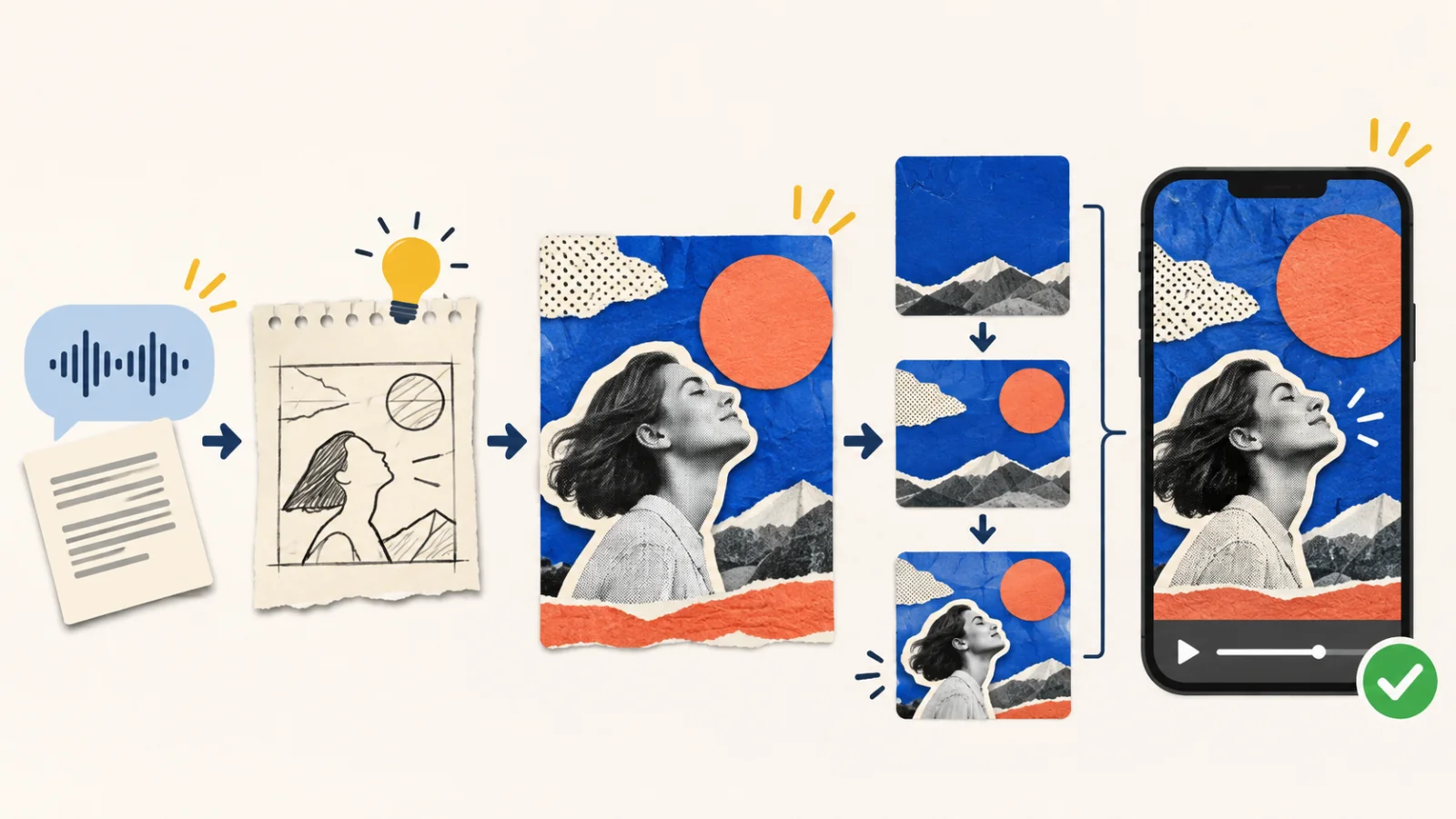
Script concept → still-image approval → animation → final clip review
💡 How can beginners improve their results?
Begin with one short, visually clear sentence rather than a complete narration. Choose one main metaphor and a small number of objects. Approve the still image carefully: fixing the composition before animation is often more practical than repeatedly generating full clips.
Before publishing, inspect the movement, any generated text, and the rights to photographs, likenesses, branding, and audio. If you plan to assemble several clips into a YouTube Short, Instagram Reel, or explainer, also check the pacing, captions, and transitions in your final editor.
Write one sentence that you want to visualize, then ask Claude Code to propose collage concepts for it before proceeding to image generation.