Create B-Roll Videos with Claude: A New Approach to AI Video Production
You can use Claude to plan and coordinate AI-generated B-roll without filming every scene yourself. One practical approach is to connect a community B-roll skill to Claude Code and use external image and video services to render the result. Claude itself should not be confused with a standalone text-to-video generator.
🎬 Key takeaways
B-roll is supporting footage that illustrates a main video or narration.
Claude Code can help organize concepts, prompts, approvals, and production steps.
Community skills such as VOX-COLLAGE-BROLL can turn a spoken line into animated paper-collage imagery.
External accounts, model access, usage fees, and commercial rights need separate checks.
🎥 What does B-roll actually do?
B-roll adds visual context to interviews, tutorials, explainers, and voiceovers. Imagine a narrator saying, “Small actions create big change.” An animation showing a row of dominoes falling can make that idea easier to follow without repeating the words on screen.
Traditionally, creators shot these inserts or licensed stock footage. AI workflows can instead produce a purpose-built visual metaphor that matches a particular sentence, tone, and edit.
🛠 How Claude fits into the workflow
Start with a short line of narration and a visual goal. In Claude Code, a compatible skill can coordinate steps such as choosing a metaphor, reviewing a still frame, and animating the approved composition. VOX-COLLAGE-BROLL is a community project designed around short paper-collage explainers with layered cutouts and halftone textures.
The distinction matters: Claude is coordinating the workflow rather than rendering all footage on its own. The project uses services such as MaxFusion MCP for generation. Setup and capabilities depend on the specific skill and connected tools, so a normal Claude chat prompt does not automatically produce the same finished MP4.
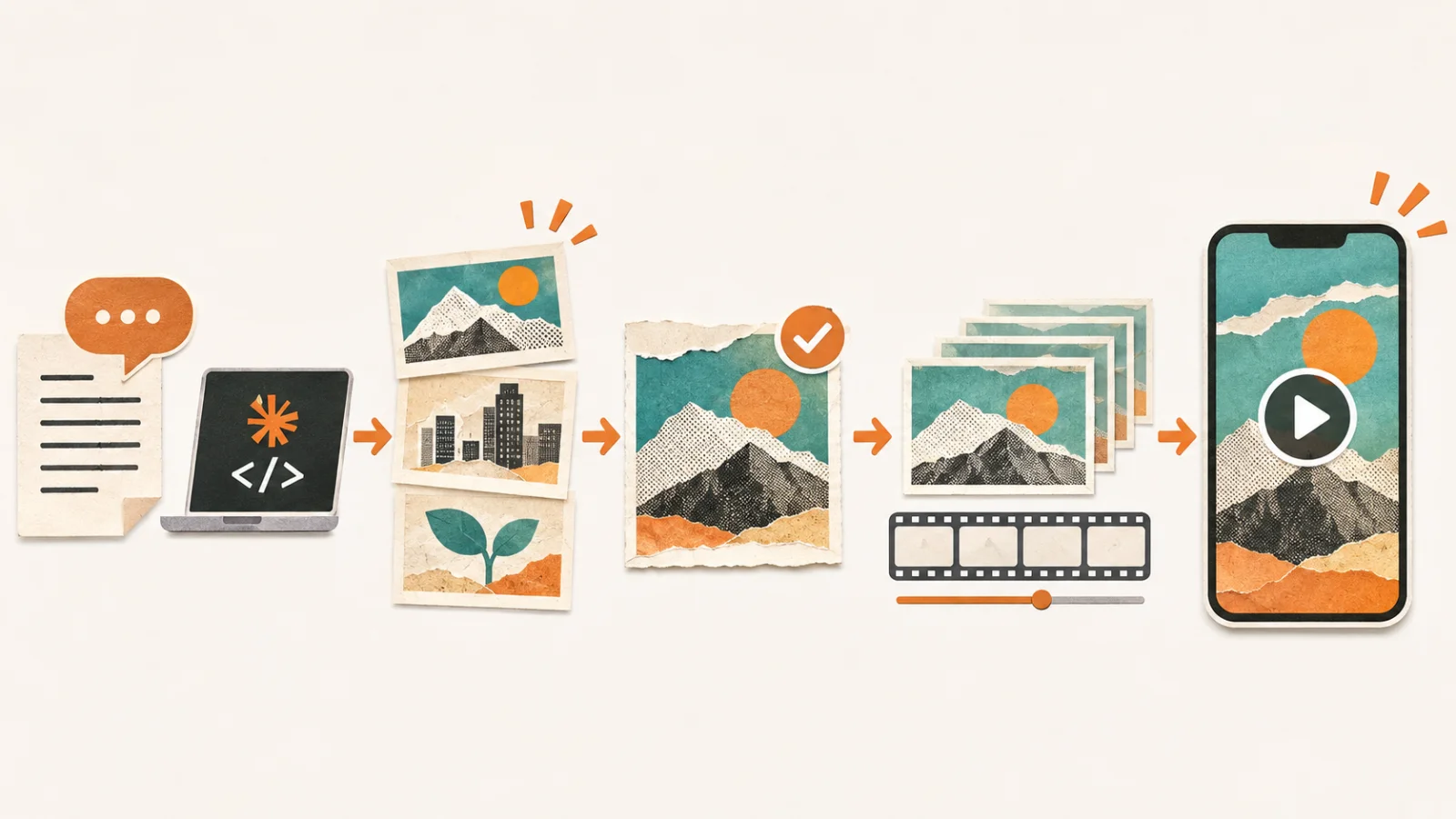
Plan the line, approve the visual concept, then generate and review the animated insert.
✍️ A simple example to try
Suppose you are producing a YouTube explainer about building good habits. Your line is, “Consistency turns small beginnings into progress.” Ask for a short paper-collage B-roll scene in which a seed develops into a growing plant. Specify whether the final video should be vertical for Shorts or horizontal for a standard video.
Choose one line: Select a message that would benefit from a visual example.
Describe the image: Define the metaphor, palette, motion, and aspect ratio.
Review the still: Confirm that the image supports your narration.
Create the motion: Use the connected generation service and inspect the output.
Finish the edit: Place the B-roll over your narration and adjust the timing.
⚠️ What should creators check first?
Review the external service's account requirements, generation credits, export options, and licensing terms. A free or open-source skill does not guarantee free video generation. For monetized YouTube work, also check whether third-party images, recognizable people, logos, or audio introduce rights issues.
Begin with one short B-roll scene supporting a single sentence. That small test will show whether the visual style, production cost, and final quality suit your channel before you build a larger workflow.