ChatGPT vs Gemini vs Copilot: Which AI Should You Use?
Compare ChatGPT, Gemini, and Copilot by features, free and paid plans, and Google or Microsoft integration, and find the right AI for you.
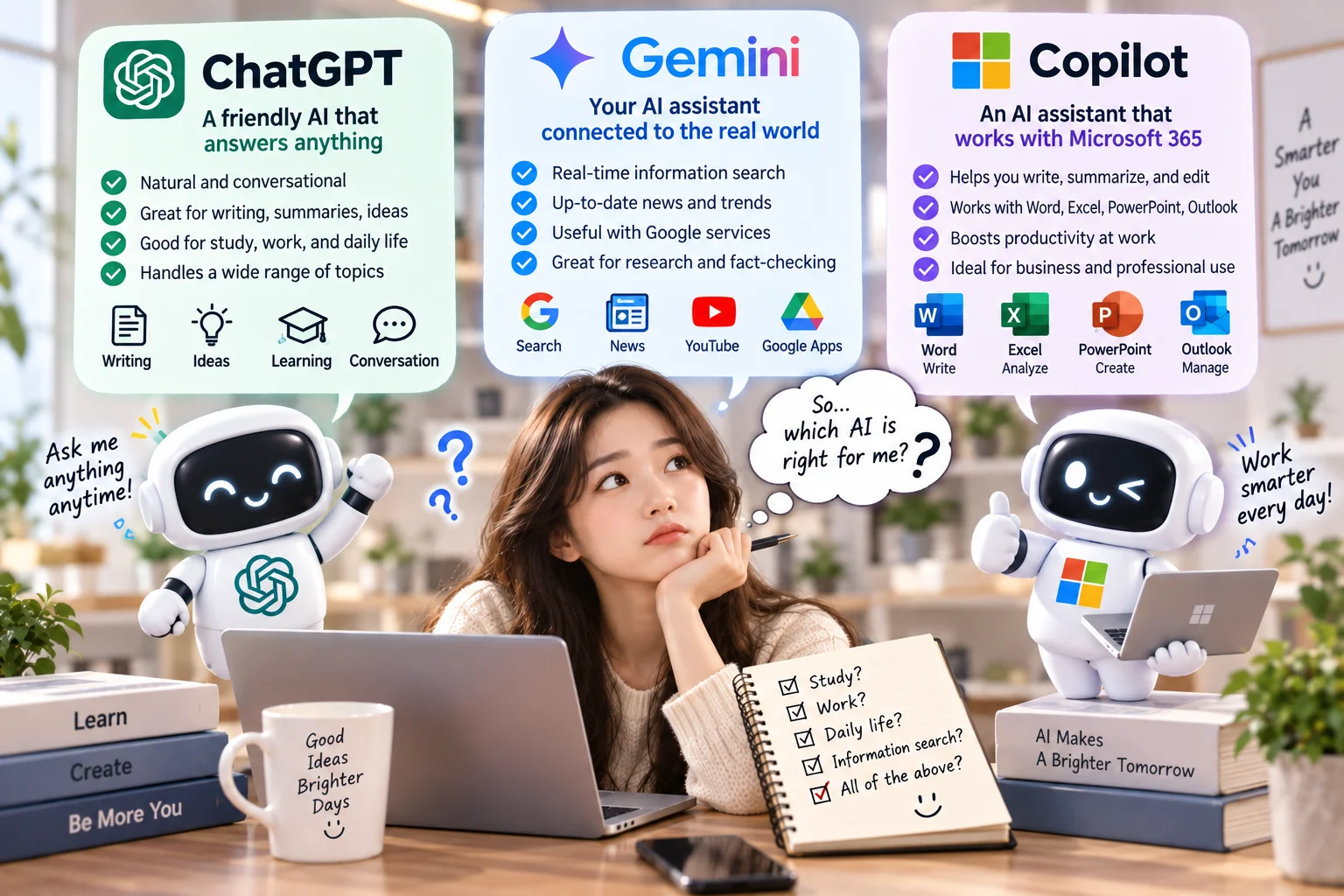
[ This image was created using generative AI ]
Introduction: ChatGPT vs Gemini vs Copilot: What's the Difference?
Everyone seems to be telling you to "just try AI." But when you sit down to start, three names keep coming up: ChatGPT, Google Gemini, and Microsoft Copilot. They look similar. So which one should you actually use?
Here's the honest answer: there is no single best AI for everyone. The right choice depends on whether you live in Google's apps, work in Windows and Office all day, or mostly want a flexible assistant for writing and analysis.
This guide compares all three using official information checked in September 2026, written for people who are new to AI.
1. What Are ChatGPT, Gemini, and Copilot?
All three are generative AI tools.
Generative AI: AI that creates something new, such as an answer, a draft, an image, or a summary, from your instructions.
Service | Company | In one line |
|---|---|---|
ChatGPT | OpenAI | A general-purpose AI assistant for chatting, writing, analysis, and coding |
Gemini | An AI assistant that can connect to Google services like Gmail, Drive, Maps, and YouTube | |
Copilot | Microsoft | An AI assistant built into Windows, Edge, and Microsoft 365 apps like Word and Excel |
Service names vs. model names
The service is the app you open (ChatGPT, the Gemini app, Copilot).
The model is the "brain" inside that generates responses.
As of August 2026, ChatGPT's free plan runs GPT-5.6 Luna, while Plus adds more advanced models such as GPT-6 Astra. The free Gemini app uses Gemini 3.6 Flash, and Gemini 3.1 Pro access varies by plan. Model names change every few months. What matters more is which level of model your plan gives you, and how much of it you can use.
2. What Is ChatGPT Good At?
ChatGPT is a strong fit if you want one assistant that handles a bit of everything. It's available on the web, iOS, Android, and desktop apps.
Key features (per OpenAI's pricing page, August 2026)
Q&A, writing, summarizing, translating: Free users get unlimited everyday text chats, with abuse-prevention guardrails.
Web search for current information
File uploads and data analysis: limited on Free, with higher limits on paid plans
Vision: understands photos and screenshots
Image generation: "limited and slower" on Free
Voice conversations: limited on Free
Deep research: multi-source research reports, limited on Free
Coding help, including Codex, OpenAI's coding tool, within plan limits
Study mode, Projects, Memory, and custom GPTs; some are paid-only
Extensions for Excel, Word, PowerPoint, and Google Sheets (limited on Free)
Try prompts like:
"Here's a meeting-notes PDF. List only the decisions and action items."
"Plan a 4-day trip to Chicago with two kids, as a table."
"What does the error message in this screenshot mean?"
3. What Is Google Gemini Good At?
Gemini's biggest advantage is its connection to Google's ecosystem. You can use it on the web (gemini.google.com), in mobile apps, and as an assistant on Android.
Free-tier features (per Google's plans page, September 2026)
Gemini 3.6 Flash, with limited access to 3.1 Pro
Image generation and editing
Gemini Live: real-time voice conversations, plus camera or screen sharing
Canvas: a side-by-side workspace for editing documents or code
Gems: saved custom assistants for tasks you repeat
Deep Research: listed on the plans page as a free feature. Google's help center lists it under AI Pro and above, so check what your account actually offers.
How Gemini connects to Google services
Through Connected Apps, the Gemini app can work with Gmail, Google Calendar, Google Drive, Google Maps, YouTube, and more.
Examples: "Find my flight confirmation email from last week and tell me the departure time," or "Summarize this YouTube video."
You can turn each connection on or off in settings.
Per Google, if Keep Activity is off, Connected Apps won't work on the web or iOS.
Availability varies by location, language, and device. Not every Google service connects automatically.
This applies to personal accounts. Work and school accounts depend on admin settings.
Using Gemini directly inside Gmail and Docs is separate. Google offers it as a paid benefit: Google AI Plus covers Gmail, Vids, and others, and Google AI Pro covers Gmail, Docs, Vids, and more. It's only for users 18 and older, and only in select languages.
4. What Is Microsoft Copilot Good At?
"Copilot" is used for several different products, so it helps to separate them first.
Product | What it is | Cost |
|---|---|---|
Microsoft Copilot (free) | A chat assistant on the web, mobile, Windows, and Edge | Free, subject to limits |
Copilot in Microsoft 365 personal plans | Copilot inside the Word, Excel, PowerPoint, and Outlook desktop apps | Requires Microsoft 365 Personal, Family, Premium, or Pro |
Microsoft 365 Copilot (business) | Work-account AI managed by your employer | Licensed by your organization |
GitHub Copilot | A coding assistant for developers | A separate product |
Free Copilot (per Microsoft Support)
Web-grounded chat, writing help, and image creation
Signing in with a personal Microsoft account adds chat history, longer conversations, and voice
File uploads are available within capacity and usage limits
Available on Windows 11 and in Microsoft Edge
With a Microsoft 365 subscription
Copilot works inside the Word, Excel, PowerPoint, and Outlook desktop apps. For example, you can draft a report in Word, spot declining months in Excel, or summarize your inbox in Outlook.
Microsoft 365 Basic includes no AI features.
On Family and Premium, only the subscription owner gets the AI features.
Copilot in Excel requires files saved to OneDrive.
The old standalone Copilot Pro plan stopped accepting new subscribers in October 2025, and its features moved into Microsoft 365 Premium.
5. ChatGPT vs Gemini vs Copilot Comparison Table
(Based on official information, September 2026)
Feature | ChatGPT | Gemini | Copilot |
|---|---|---|---|
Company | OpenAI | Microsoft | |
Basic AI chat | ✅ Free: unlimited everyday chats (guardrails apply) | ✅ Free, with usage limits | ✅ Free, with capacity limits |
Web search | ✅ | ✅ Draws on Google Search | ✅ Web-grounded |
Writing and summaries | ✅ | ✅ Plus Canvas | ✅ Inside Word with M365 |
Translation | ✅ | ✅ | ✅ |
Image understanding | ✅ Limited on Free | ✅ Camera and screen via Gemini Live | ✅ Screen and camera help (more with M365) |
Image generation | ✅ Limited and slower on Free | ✅ Free; video generation is paid | ✅ Free; more with M365 |
PDF and file analysis | ✅ Limited on Free | ✅ Capacity varies by plan | ✅ Free limits; in-app work with M365 |
Coding | ✅ Includes Codex (plan limits) | ✅ Canvas; Antigravity dev platform on paid plans | ⚠️ Chat-based help (GitHub Copilot is separate) |
Voice chat | ✅ Limited on Free | ✅ Gemini Live | ✅ When signed in |
Google integration | ⚠️ Some (Google Sheets extension, varies by plan) | ⭐ Gmail, Drive, Maps, YouTube; in-app Gmail and Docs on paid plans | ⚠️ Limited |
Microsoft 365 integration | ⚠️ Excel, Word, and PowerPoint extensions (limited on Free) | ⚠️ Limited | ⭐ Inside Word, Excel, PowerPoint, and Outlook (M365 required) |
Free option | Free | Free | Free Copilot |
Personal paid plans | Go / Plus / Pro | Google AI Plus / Pro / Ultra | Microsoft 365 Personal / Family / Premium / Pro |
Best fit | All-in-one chat, writing, and analysis | Google and Android users | Windows and Office users |
How to read this table
On the basics (chat, writing, translation, photos, and images), all three are capable. The real differences are integration with apps you already use and how much you get for free.
A ✅ doesn't mean unlimited. Free tiers have caps that change often, so exact numbers aren't listed here.
6. What Can You Do for Free?
Service | Key free features (September 2026) |
|---|---|
ChatGPT Free | Unlimited everyday chats on GPT-5.6 Luna. Uploads, image generation, voice, deep research, data analysis, and Codex are all "limited." |
Gemini (free) | 3.6 Flash with limited 3.1 Pro; image generation and editing, Gemini Live, Canvas, Gems; 15GB of Google storage |
Copilot (free) | Chat, image creation, file uploads, and voice, subject to capacity and limits |
Keep in mind:
All three have usage limits. When you hit one, you'll be asked to wait or upgrade.
Free tiers may use lighter models or give fewer turns with top models.
Responses may slow down at peak times.
Exact message or upload counts vary by plan, region, and time, and often aren't published.
7. What Do Paid Plans Offer?
U.S. prices (verified September 2026; may vary by country, tax, and billing method)
Service | Plan | Monthly price | What changes |
|---|---|---|---|
ChatGPT | Go | about $8 | Higher limits for tools, uploads, and images; may include ads |
Plus | $20 | Advanced reasoning models (e.g., GPT-6 Astra), more deep research, Projects, scheduled tasks, custom GPTs | |
Pro | $100 or $200 | 5× or 20× Plus usage and top-tier reasoning | |
Google AI Plus | about $7.99 | 2× free limits, video generation, Gemini in Gmail and Vids, extra storage | |
Google AI Pro | about $19.99 | 4× free limits, Gemini in Gmail and Docs, 5TB storage | |
Google AI Ultra | Premium tiers (5× or 20× Pro usage) | Deep Think and other advanced features | |
Microsoft | Microsoft 365 Personal | $9.99 | Office desktop apps with Copilot, 1TB |
Microsoft 365 Family | $12.99 | Up to 6 people; AI features for the owner only | |
Microsoft 365 Premium | $19.99 | Extensive Copilot usage and agentic research and analysis tools | |
Microsoft 365 Pro | $99.99 | Highest Copilot limits (monthly billing only) |
Notes
Per OpenAI, new sign-ups and upgrades to ChatGPT Pro $200 have been temporarily paused since September 10, 2026. Pro $100 is still available.
Prices shown for Go, Google AI Plus, and Google AI Pro come from recent reporting. Confirm them on the official pricing pages.
Microsoft 365 and Google AI plans bundle cloud storage, and Microsoft 365 also includes the Office apps. If you already pay for one of these, check what AI features you already have.
Business plans (ChatGPT Business and Enterprise, Gemini Enterprise, Microsoft 365 Copilot for business) are separate from consumer plans.
8. Which Tools Are Useful for Writing and Documents?
All three can draft emails, blog posts, and reports, and can summarize, proofread, and translate. The difference is where you write.
Drafting in a chat window, then copying the result: all three work well. ChatGPT feels natural for back-and-forth refinement, and Gemini's Canvas shows your document side by side.
Writing directly in Gmail or Google Docs: look at Gemini's paid plans.
Writing directly in Word or Outlook: look at Copilot with a Microsoft 365 subscription.
Example prompts
"Rewrite this email so it's polite but firm."
"Fix only grammar and spelling. Don't change the meaning."
"Turn this report into a three-line summary for my manager."
Treat AI output as a first draft. Edit it so it matches your voice and the facts.
9. What About Web Search and Current Information?
All three can search the web, but search doesn't guarantee accuracy.
Hallucination: when an AI confidently states something that isn't true.
An AI might mistake an old article for current news, blend sources incorrectly, or invent a statistic or citation.
Stay safe:
Click the source links and read the original.
Double-check prices, laws, deadlines, and health information on official sites.
Ask: "Include your sources and their publication dates."
10. Which Tools Can Understand or Generate Images?
Image understanding and image generation are different features.
Understanding: the AI reads a photo or screenshot you share. For example: "Total up this receipt," or "How do I fix the error on this screen?"
Generating: the AI creates a new image from your description. For example: "Draw a cat walking under cherry blossoms."
Service | Image understanding | Image generation and editing |
|---|---|---|
ChatGPT | Photos and screenshots (limited on Free) | Limited and slower on Free; more complex and accurate on paid plans |
Gemini | Photos, plus live camera and screen sharing via Gemini Live | Free creation and editing; video generation needs AI Plus or higher |
Copilot | Screen and camera assistance (more usage with M365) | Free creation, more with M365; AI photo restyling in OneDrive (Premium and Pro) |
Multimodal AI: AI that can handle text, images, voice, and files, not just words.
All three are multimodal. They differ mainly in free limits and output quality.
11. What About PDFs, Documents, and Data Analysis?
This is where many people feel the biggest time savings.
Example prompts
"Pull out only the termination clauses from this 50-page PDF."
"Find the months where sales dropped in this spreadsheet."
"Summarize this paper and suggest five questions for my presentation."
What to compare
Supported file types: PDF, Word, Excel, images
Size and page limits: Google advertises up to 1,500 pages for AI Pro, but free and paid limits differ.
How much the AI can hold at once: per Google's help center, the Gemini app offers 32K tokens without a plan, 128K on AI Plus, and 1 million on AI Pro and Ultra.
Tokens: small chunks of text the AI processes. More tokens means longer documents at once.
Data analysis: whether the tool can calculate and build charts, such as ChatGPT's data analysis or Copilot in Excel
Free upload caps: all three limit uploads on free tiers.
File types, sizes, and limits vary by service, plan, and time. Check the official help pages before important work.
12. If You Use Google Services
If your life runs on Gmail, Drive, Docs, and an Android phone, Gemini is worth trying first.
The free Gemini app can use Connected Apps (Gmail, Drive, Maps, YouTube). Availability depends on your region, language, device, and settings.
For AI inside Gmail and Docs, look at Google AI Plus or Pro. It's for users 18 and older, in select languages.
If you were going to buy more Google storage anyway, note that AI plans include it.
Check whether you're using a personal account or a work or school account. Features differ.
13. If You Use Windows and Microsoft 365
If you spend your day in Windows, Word, Excel, PowerPoint, and Outlook, Copilot is worth trying first.
Free Copilot works in Windows 11, Edge, the web, and mobile.
For Copilot inside Office apps, you need Microsoft 365 Personal, Family, Premium, or Pro.
Already subscribed? You may already have Copilot features at no extra cost. Microsoft 365 Basic is the exception.
Work-account Copilot depends on the license your IT admin assigned and is separate from personal plans.
14. Which Features Matter for Students?
Use cases
Research: "Explain how climate change affects ocean ecosystems, focusing on key concepts."
Summaries: "Summarize this chapter in five lines and flag the tricky concepts."
Language learning: "Correct my English journal entry and explain each mistake."
Problem help: "Don't just give me the answer. Walk me through each step."
Presentations: "Create an outline and likely audience questions for a 10-minute talk."
ChatGPT offers a study mode that guides you step by step instead of just giving answers. Gemini can be convenient if your coursework lives in Google Docs and Drive.
Remember:
Don't submit AI output as your own work. Schools have different AI policies, and AI can be wrong.
Use AI as a starting point, and verify anything you cite in the original source.
Some paid features are only for users 18 and older.
15. Which Features Matter for Office Workers?
The most important question is which tools your company already uses.
Google Workspace company → look at Gemini's workplace features
Microsoft 365 company → look at Microsoft 365 Copilot
Broad planning, writing, and analysis not tied to one suite → consider ChatGPT alongside your company's tools
Personal accounts vs. company accounts
Personal plans (ChatGPT Plus, Google AI Pro, Microsoft 365 Personal) are for your own account.
Enterprise AI (ChatGPT Business and Enterprise, Gemini Enterprise, Microsoft 365 Copilot) comes with your company's security and admin controls.
⚠️ Security reminder
Don't paste confidential company data or customer information into a personal AI account.
Check which AI tools your company allows and follow its policy.
16. How Should an AI Beginner Choose?
Choose based on the apps you already use and the tasks you want help with.
If you... | Start by checking |
|---|---|
Mostly chat, write, and brainstorm | ChatGPT Free: conversation quality, editing help, memory |
Live in Gmail, Docs, and Drive | Gemini Free: whether Connected Apps work on your account, and whether you need in-app Gmail and Docs features |
Work in Windows, Word, Excel, and PowerPoint | Free Copilot: whether you already have Microsoft 365, and whether you need Copilot inside Office |
Analyze photos, PDFs, and documents | Free upload limits, supported file types, and long-document handling in all three |
Want to try AI for free first | Use all three, ask them the same questions, and upgrade the one whose limits you keep hitting |
A simple way to start
Sign up for all three free versions.
Ask each one the same three real-life questions (for example, polish an email, summarize a PDF, explain a screenshot).
Use your favorite for two to three weeks.
Consider a paid plan only once the limits start getting in your way.
17. Important AI Safety and Privacy Tips
AI can be confidently wrong. A confident tone doesn't mean it's accurate.
Verify important facts with official sources.
Don't share sensitive personal data such as ID numbers, bank details, or passwords.
Check your company's policy before entering work or customer data.
Medical, legal, tax, and investment decisions need a qualified professional, not just an AI answer.
Check the terms and copyright rules before using AI-generated text or images commercially.
Features and terms change often. What's free today may be paid tomorrow, and the reverse.
Many services let you opt out of having your chats used for training. For example, ChatGPT offers this in its data controls. Check your settings.
18. Conclusion: Choose Based on Your Workflow, Not Just the Brand
ChatGPT, Gemini, and Copilot are all capable AI assistants, but they fit different habits.
ChatGPT: for people who want one place for chatting, writing, brainstorming, file analysis, and coding
Gemini: worth a look if you rely on Google Search, Gmail, Drive, and Android
Copilot: worth a look if you rely on Windows and Word, Excel, PowerPoint, and Outlook
AI performance varies by task, model, plan, and update cycle, and benchmark rankings don't guarantee everyday satisfaction. Try all three for free and keep the one that fits most naturally into your day.
※ AI features, models, and pricing change frequently. Please check each service's official website for the latest information before subscribing.