What Is an NPU in a Laptop? AI PC vs. Copilot+ PC and What to Check Before Buying
Learn what an NPU does, how AI PCs differ from regular PCs, and what Copilot+ PC requirements mean.
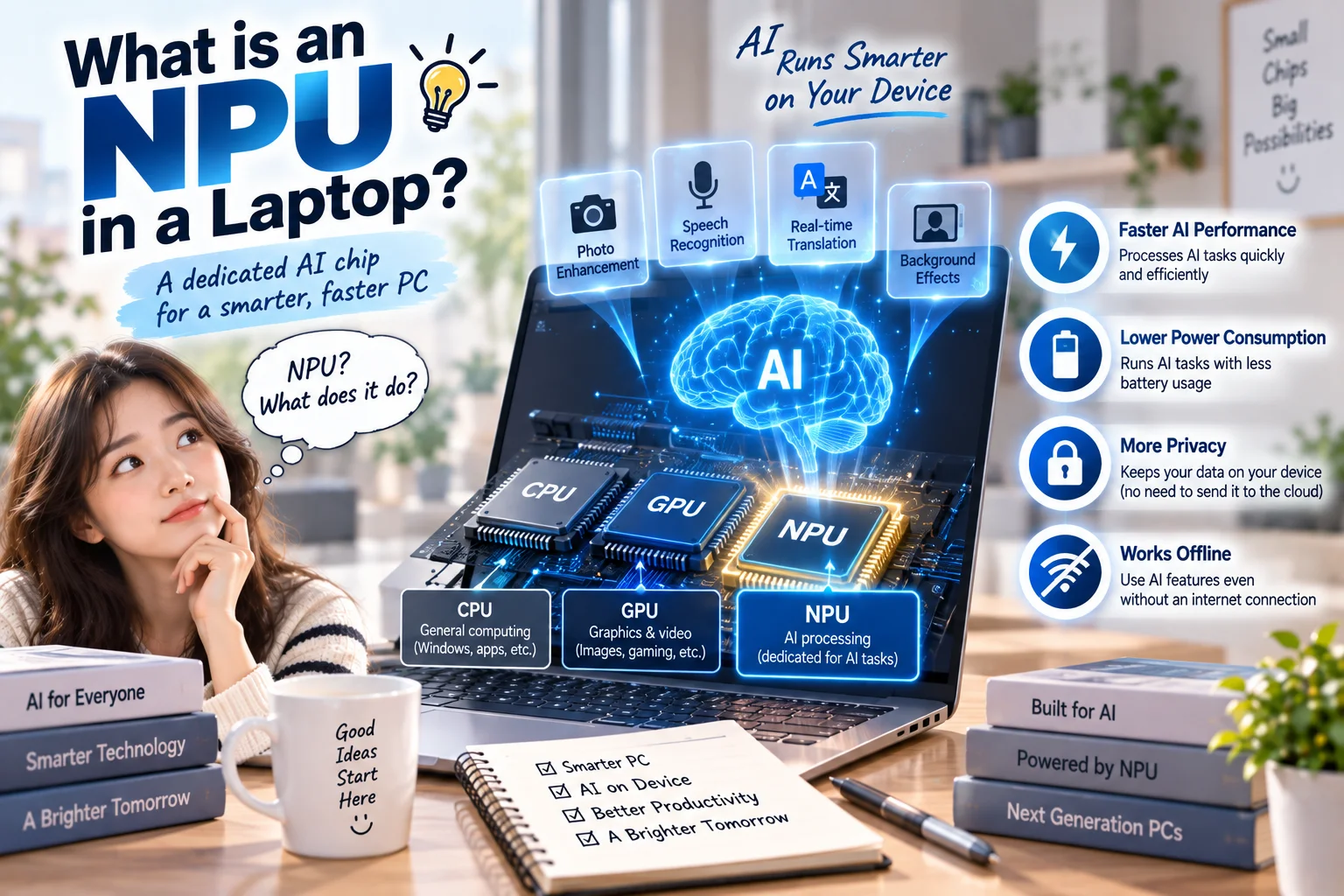
This image was created using generative AI ]
An NPU (Neural Processing Unit) is a processor designed to handle certain AI tasks, such as voice processing, background effects, and image analysis, efficiently. “AI PC” is a broad term for computers with AI-focused capabilities, while “Copilot+ PC” refers to Windows devices that meet Microsoft's specific hardware requirements. You do not need a Copilot+ PC simply to use AI tools.
Key takeaways
An NPU complements the CPU and GPU; it does not replace either one.
A Copilot+ PC needs an NPU rated at 40 TOPS or more, at least 16GB RAM, and at least 256GB storage, among other requirements.
An AI PC can have an NPU without qualifying for every Copilot+ PC feature.
For browser-based AI chat, overall laptop quality and price may matter more than NPU performance.
How is an NPU different from a CPU or GPU?
The CPU handles general computing tasks, while the GPU excels at graphics and highly parallel workloads. An NPU specializes in efficiently running trained AI models, a process called inference, especially for frequent or sustained tasks.
For example, some video-call apps can use an NPU for camera effects or noise reduction. Support depends on the software and drivers, though. An NPU does not automatically accelerate every AI application.
AI PC vs. Copilot+ PC: what is the difference?
Category | AI PC | Copilot+ PC |
|---|---|---|
Definition | Broad label for AI-capable PCs | Microsoft-defined Windows PC category |
NPU threshold | No single universal requirement | 40+ TOPS |
Memory and storage | Varies by model | 16GB+ RAM and 256GB+ storage |
AI features | Depends on apps and hardware | Eligible Copilot+ experiences on supported devices |
Every Copilot+ PC is an AI PC, but not every AI PC is a Copilot+ PC. A Copilot key on the keyboard or a preinstalled Copilot app does not prove that a laptop qualifies.
Does a higher TOPS number guarantee better AI performance?
TOPS means trillions of operations per second. It is useful for describing a processor's theoretical AI throughput, but it is not a universal benchmark of real-world performance. Software optimization, model architecture, memory, and power limits all matter.
Be especially careful about total platform AI TOPS versus NPU-only TOPS. Microsoft's Copilot+ requirement refers to NPU capability, not a combined marketing figure.
What can you do with a Copilot+ PC?
Depending on the hardware, Windows version, and rollout, supported experiences can include translated Live Captions, Windows Studio Effects, improved Windows search, and context-aware features. Availability can vary by region, language, processor, and software update.
Using the Copilot chatbot is not the same as using Copilot+ exclusive features. Many ordinary Windows PCs can access cloud-based Copilot. Likewise, owning a Copilot+ PC does not mean every AI feature works entirely offline.
What matters when buying an AI laptop today?
If you mainly write documents, attend online classes, browse the web, and use cloud AI chatbots, prioritize a comfortable display, sufficient RAM, battery life, weight, and cost. For gaming, editing, or 3D work, the CPU and GPU still deserve close attention.
If you regularly attend video meetings on the go or want supported Windows on-device AI features, check for the official Copilot+ PC designation and an NPU rated at 40+ TOPS. If you intend to run larger AI models locally, also assess GPU memory, system RAM, and compatibility with the specific models and software you plan to use.
Consider a hypothetical choice between two similarly priced laptops: one highlights its NPU but has less RAM, while the other has more RAM and a better screen. The second might be preferable for everyday office work. The first may make more sense if your daily applications actually benefit from its NPU. This is an illustrative example, not a specific product comparison.
Check these details before ordering
Look up the exact processor model and generation, as NPU specifications can differ even within a product family. If you're considering an Arm-based laptop, verify compatibility with any essential legacy applications and peripheral drivers. AI features may also change with updates and regional availability.
Your first step should be to open the manufacturer's specification page for the exact laptop model and verify its NPU TOPS rating and official Copilot+ PC eligibility.