Are AI Smart Glasses the Next Smartphone? What They Can Actually Do
A fact-checked look at Meta, Samsung, and Google's AI smart glasses — what they can really do, and what they can't, as of August 2026.
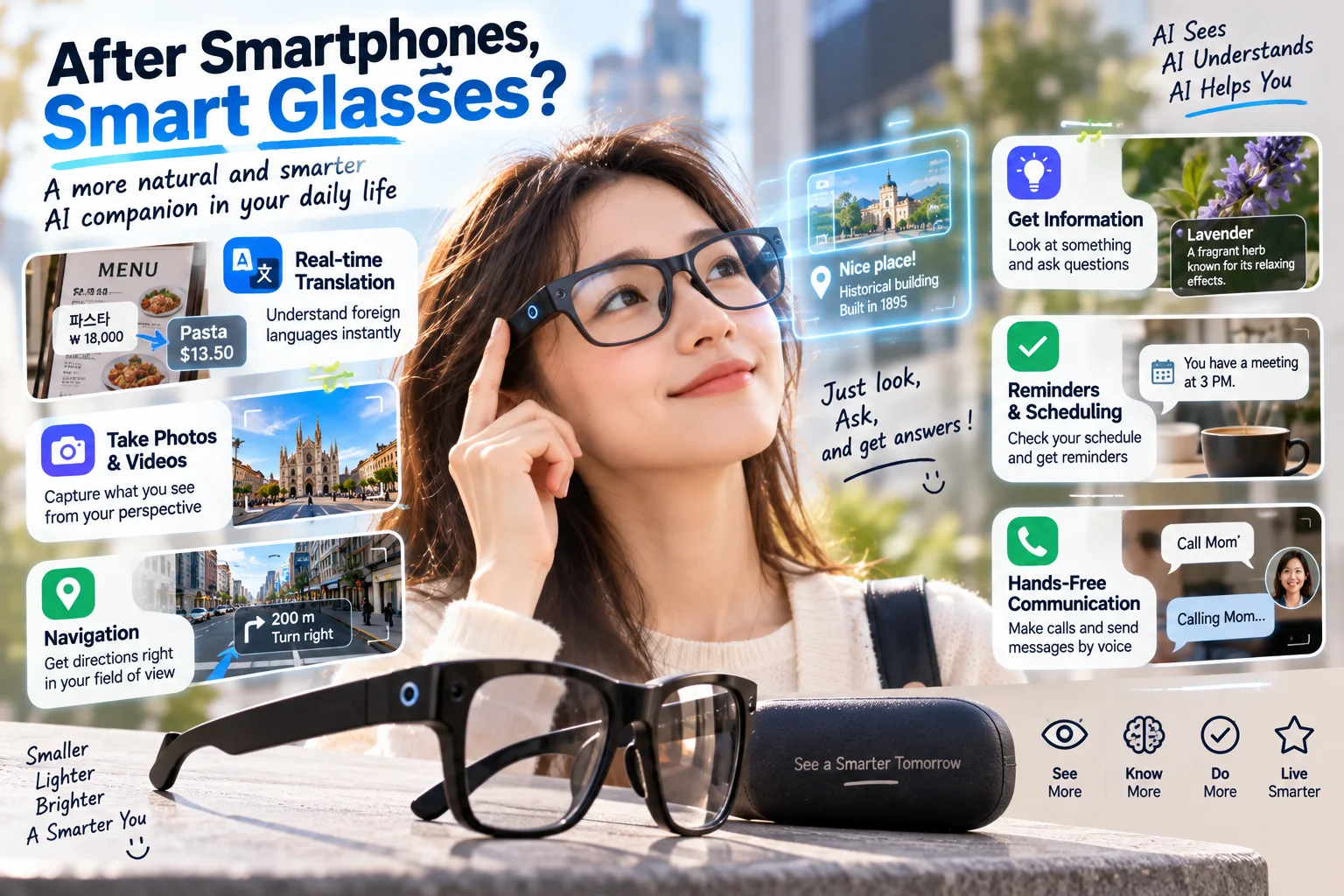
AI smart glasses can help you take photos, make calls, listen to audio, ask questions about your surroundings, get directions, and translate information without constantly reaching for your phone. But capabilities vary widely. The first distinction to understand is whether the glasses provide audio only or also display information in the lenses.
Key takeaways
Glasses with cameras, microphones, and speakers can support hands-free capture, calls, and voice-based AI assistance.
Display-equipped models can show selected messages, directions, and translated captions in your field of view.
Translation, visual recognition, supported languages, and reliability differ by model and environment.
For most people, smart glasses complement a smartphone rather than replace it completely.
What makes AI smart glasses different from regular glasses?
AI glasses look similar to everyday eyewear, but their frames may contain cameras, microphones, speakers, sensors, and a connection to an AI assistant. You can speak a command or use a physical control, then hear a response or, on supported models, see information inside a lens.
They are not all augmented reality glasses. A small lens display for notifications is different from extended reality (XR) eyewear designed to overlay large virtual screens on your surroundings. Their comfort, connectivity, and intended uses can be very different.
What can you actually do with AI smart glasses?
One of the clearest benefits is hands-free photo and video capture. You can record a view on a walk or a moment while cooking without picking up your phone. Image quality and video recording limits, however, depend on the particular device.
Models with microphones and speakers may also handle calls, play music, and respond to voice requests. While walking, you might ask for directions and hear navigation prompts. Display models may show turns in the lens, where supported. Available navigation features can vary by country, city, and map service.
Some AI-enabled glasses can describe an object in front of you or help interpret and translate a sign or menu. Low lighting, small text, background noise, and imperfect AI recognition can all affect the result. Double-check any information that matters.
Audio-only or display glasses: which suits you?
Comparison | Audio-focused AI glasses | Display AI glasses |
|---|---|---|
Output | Spoken or audio feedback | Audio plus in-lens visuals |
Best suited to | Calls, capture, quick questions | Directions, captions, notifications |
Check before buying | Audio, camera, battery | Readability, weight, supported apps |
If you mainly take calls or listen to podcasts on your commute, an audio-focused pair may be enough. If you want to read navigation cues or translated captions while moving, a display model may be more useful. Either way, comfort and fit matter because uncomfortable glasses are unlikely to become part of your routine.
Can smart glasses work without a phone?
Certain functions may operate on the glasses, but many products still need a phone for setup, app pairing, connectivity, or photo transfer. That means they are not a complete smartphone replacement for most users. Check Android or iPhone compatibility, account requirements, and feature availability in your country.
Battery life deserves attention too. Frequent video capture and AI requests can shorten the time between charges, and some devices rely on a charging case. Real-world performance depends on what you do, not just the advertised figure.
Privacy and recording etiquette matter
An eye-level camera is convenient, but people nearby might not immediately realize recording is taking place. Ask permission when appropriate, respect restrictions in private or sensitive settings, and do not cover or disable recording indicators.
Review how the product processes voice commands and images, and what controls exist for storing or deleting data. AI responses can be mistaken, so do not rely on them alone for important medical, safety, or financial decisions.
What should you check before buying?
Start by identifying one feature you would use every day. For calls, prioritize microphones and speakers. For travel, check translation languages and where navigation works. For recording, examine camera capabilities and how media is stored and transferred.
Then check the manufacturer’s current product details to confirm that feature actually works in your country and with your phone. This simple step helps avoid the gap between what a product demo shows and what you can use after purchase.